

Download NDTV for Windows – Free Video Software for TV Streaming & News Updates
Experience live news and video content from India’s leading media network with NDTV for Windows — a free, lightweight video application designed for users on Windows 8 and earlier systems. This software, developed by NDTV, allows you to stream live news, watch on-demand videos, and stay updated with breaking headlines directly from your desktop. Available since 2012, NDTV for Windows has been a trusted choice for viewers in India, Malaysia, and Pakistan, offering a simple interface and reliable streaming performance.
Though the software hasn’t seen updates since 2012, it remains functional for basic video playback and live TV access. With a small install size and no ads, it’s a secure and straightforward tool for those who prefer desktop-based news consumption. Whether you're tracking political developments, business updates, or global events, NDTV for Windows delivers real-time content without the need for a browser.
Why Choose NDTV for Windows? A Reliable Desktop News Experience
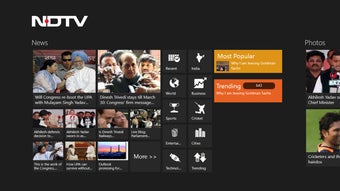
For users who prefer a dedicated desktop application over browser-based streaming, NDTV for Windows offers a clean, distraction-free way to access one of India’s most respected news networks. Unlike modern web apps that require constant updates and high bandwidth, this software runs efficiently on older Windows systems like Windows 8 and earlier, making it ideal for users with limited hardware resources. The interface is minimalistic — no flashy animations or unnecessary features — just a straightforward layout that prioritizes content delivery.
You can easily navigate between live news channels, video archives, and trending stories with a few clicks. While the app hasn’t been updated since 2012, its core functionality remains intact, providing stable playback without crashes or buffering issues on compatible systems. It’s particularly useful for users in regions with inconsistent internet connectivity, as the lightweight design reduces data usage.
One of the standout aspects is its security — since it’s a standalone executable with no background processes, it poses minimal risk of malware or data leaks. The software is also completely free, with no in-app purchases or subscription traps. For those who value simplicity, reliability, and a no-frills approach to news consumption, NDTV for Windows remains a solid option, especially for older PCs that can’t handle modern streaming platforms.
Key Features & How to Use NDTV for Windows
Despite its age, NDTV for Windows includes several practical features that enhance the user experience. The primary function is live streaming of NDTV’s news channels, including NDTV 24x7, NDTV India, and NDTV Profit, allowing users to watch breaking news in real time. The app also supports on-demand video playback, so you can catch up on past segments, documentaries, and special reports.
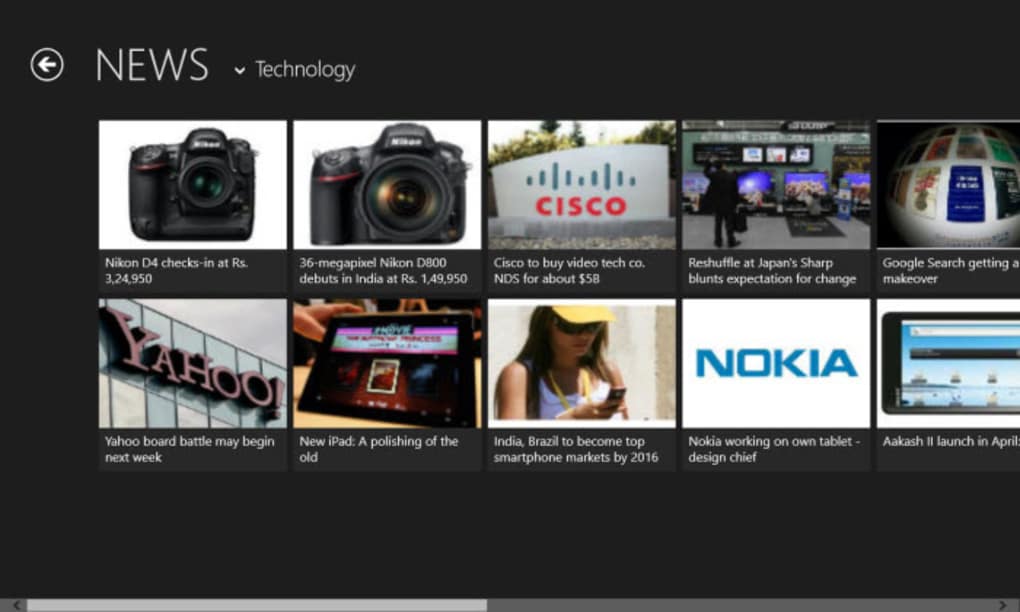
A simple playlist feature organizes content by category — such as politics, business, health, and entertainment — making it easy to find relevant material. The video player is built with minimal overhead, ensuring smooth playback even on low-end systems. Installation is straightforward: download the .exe file from a trusted source, run the installer, and launch the app.
Once opened, the interface displays channel thumbnails and a navigation bar. Clicking on any channel opens the stream instantly. Users can also minimize the app to the system tray for background viewing.
Although there’s no search function or video download option, the simplicity is intentional — this is not a feature-heavy tool but a focused news delivery system. The lack of updates means no new features are added, but it also means no unexpected changes to the interface. For users who want a reliable, no-nonsense way to access news without distractions, this software delivers exactly what it promises: live and on-demand video content from NDTV.
Compatibility & Installation Guide for Windows Users
NDTV for Windows is specifically designed for older versions of the Windows operating system, including Windows 8, Windows 7, and Windows Vista. It is not compatible with Windows 10 or Windows 11 due to architectural changes and security restrictions in newer systems. However, users can still run it on modern Windows versions through compatibility mode.
To install, first download the .exe file from a trusted software repository. Right-click the file, select “Properties,” go to the “Compatibility” tab, and check “Run this program in compatibility mode for” — then choose “Windows 8.” You can also enable “Run as administrator” for better performance. After setting compatibility, double-click the installer to begin.
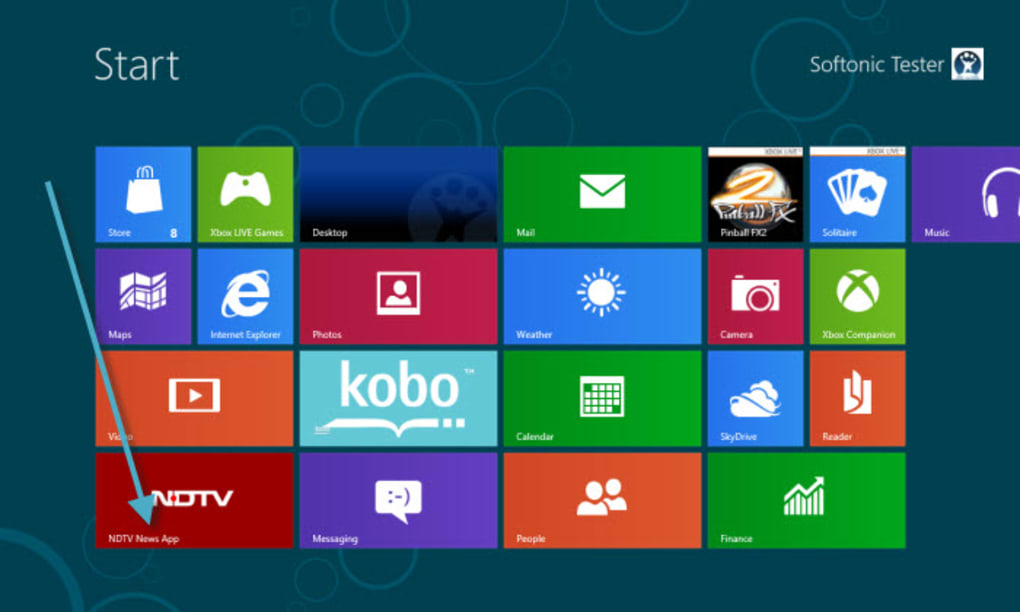
The setup process is quick and requires no configuration — just follow the on-screen prompts. Once installed, launch the app from the Start menu or desktop shortcut. The software does not require internet permission changes or additional drivers, as it uses standard HTTP streaming.
If you encounter playback issues, ensure your system has a stable internet connection and that your firewall isn’t blocking the app. For best results, close other bandwidth-heavy applications while streaming. While the app doesn’t support automatic updates, users can manually check the official NDTV website for any new releases or patches.
Given its age, it’s recommended to use this software on a dedicated machine or virtual environment to avoid conflicts with modern system services.
Pros and Cons of Using NDTV for Windows
- Pros:
- Free and ad-free software with no hidden costs
- Lightweight and runs smoothly on older systems
- Simple, intuitive interface with minimal distractions
- Secure and stable with no known malware risks
- Direct access to live NDTV news channels and on-demand videos
- Cons:
- Not compatible with Windows 10 or 11 without workarounds
- No automatic updates or new features since 2012
- Limited functionality — no search, download, or playlist saving
- Outdated design that doesn’t match modern UI standards
- No mobile or cross-platform support
Frequently Asked Questions (FAQ)
Is NDTV for Windows free to download and use?
Yes, NDTV for Windows is completely free to download and use. There are no subscription fees, in-app purchases, or hidden charges. It’s a one-time download that allows users to stream live news and on-demand videos without cost.
Can I use NDTV for Windows on Windows 10 or 11?
While NDTV for Windows was designed for Windows 8 and earlier, it can run on Windows 10 and 11 using compatibility mode. Right-click the .exe file, go to Properties > Compatibility, and select “Windows 8” as the compatibility setting. However, performance may vary, and some users may encounter issues.
Does NDTV for Windows support video downloads or recording?
No, the software does not include video download or screen recording features. It is designed solely for live streaming and on-demand playback. If you need to save content, consider using a third-party screen recorder like oCam or Snagit.
How often is NDTV for Windows updated?
The last update was on March 15, 2012, and there have been no official updates since. The software remains functional but lacks modern features and security patches. Users should download it from trusted sources to ensure authenticity.
Is NDTV for Windows safe to install?
Yes, when downloaded from reputable software directories, NDTV for Windows is safe and free from malware. It’s a standalone executable with no background processes. However, avoid unofficial or third-party sites that may bundle it with unwanted software.
Final Verdict: A Nostalgic but Functional News Tool
While NDTV for Windows may not be the most modern solution for news streaming, it remains a functional and reliable tool for users who value simplicity and stability. Its lightweight design, free access, and secure operation make it a great choice for older PCs or users in regions with limited internet bandwidth. Though it lacks updates and modern features, its core purpose — delivering live and on-demand news — is still fulfilled effectively.
If you’re looking for a no-frills desktop app to watch NDTV without opening a browser, this software is worth trying. For those needing more advanced features, consider pairing it with a screen recorder or using the official NDTV website. Still, for its intended audience, NDTV for Windows delivers exactly what it promises: a straightforward, secure, and free way to stay informed.
Download NDTV for Windows today and enjoy real-time news updates on your desktop — a classic tool that still holds up.
Home Software Video Software






